Getting started with Star Citizen
Six steps from “can my PC run it?” to your first paid mission. Steps 1–2 are on this page; each step after that links to its own guide.
- 1Check your PC can run itWindows only, 16 GB RAM minimum, SSD required.
- 2Buy a starter pack and installAccount, cheapest pack, checkout, RSI Launcher.
- 3Wake up and leave your habYour first 30 minutes in the Verse.
- 4Call your shipUse an ASOP terminal to get it out of storage.
- 5Quantum travel somewhereTarget a destination, spool, jump.
- 6Take your first paid missionContract Manager, accept, get paid in aUEC.
Playing with friends? Once you can fly, see how to add friends.
Star Citizen is a massively multiplayer online space simulation game developed by Cloud Imperium Games. It aims to combine elements of space trading, combat, and first-person gameplay in a persistent universe.
The game is still in active development, with regular updates adding new features, locations, ships, and gameplay mechanics.
See the latest updates on developmentStar Citizen runs on 64-bit Windows only -- it is not available on macOS or Linux. As an alpha, these specs change between patches.
Minimum Requirements:
- Windows 10 (64-bit, latest Service Pack) or Windows 11
- Quad-core CPU with AVX, AVX2, and FMA3 instruction support -- Intel i7 (Haswell or later) or AMD Excavator or later
- 16 GB RAM
- GPU with at least 4 GB VRAM and driver support for Direct3D 11.1 and Vulkan 1.2
- 150+ GB SSD required for the RSI Launcher, Star Citizen, and pagefile
- Broadband internet connection
Recommended:
- Windows 11 64-bit (latest build)
- Modern multi-core CPU (Intel i7/i9 12th-gen or AMD Ryzen 7/9 5000-series or newer)
- 32 GB RAM
- DirectX 12 GPU with 8 GB+ VRAM (RTX 3060 / RX 6700 XT class or better)
- NVMe SSD with 150 GB+ free
- High-speed broadband internet connection
Source: RSI Knowledge Base -- Star Citizen Minimum System Requirements
To play Star Citizen you need a game package that bundles the Star Citizen digital download with a starter ship. Here is the full step-by-step.
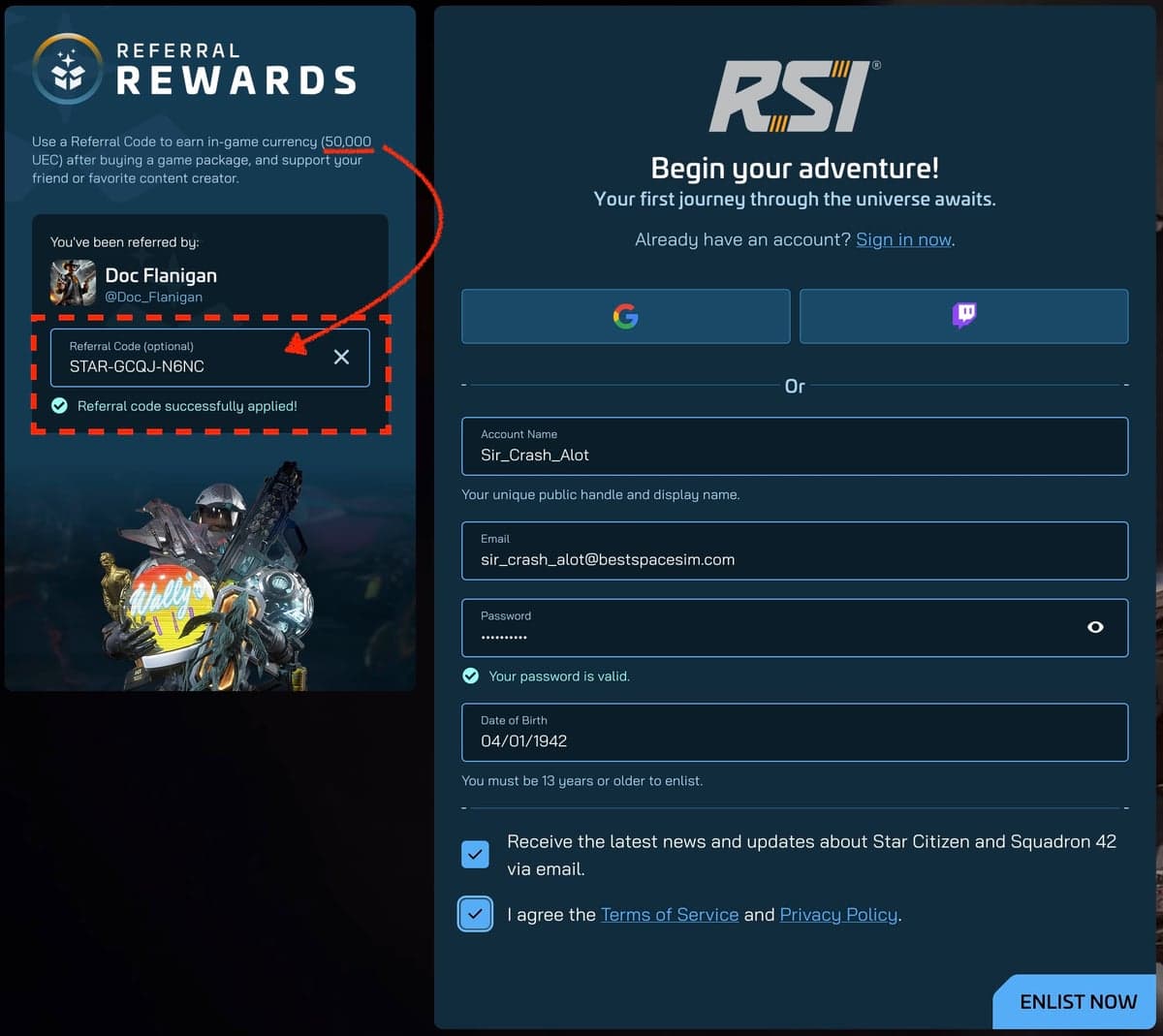
1. Create your RSI account
Sign up on the Roberts Space Industries website. Entering a referral code when you sign up adds a one-time 50,000 UEC bonus to the new account. The bonus doesn't require a purchase.
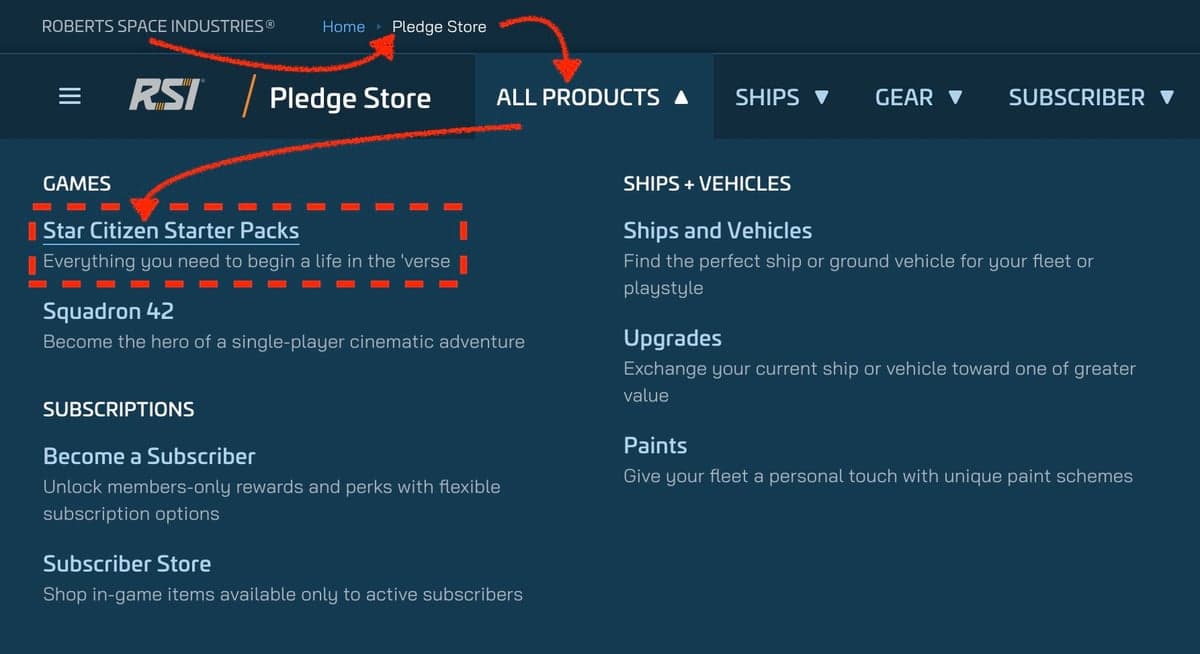
2. Open the Pledge Store
Head to the Pledge Store, click All Products, then choose Star Citizen Starter Packs under the Games column.
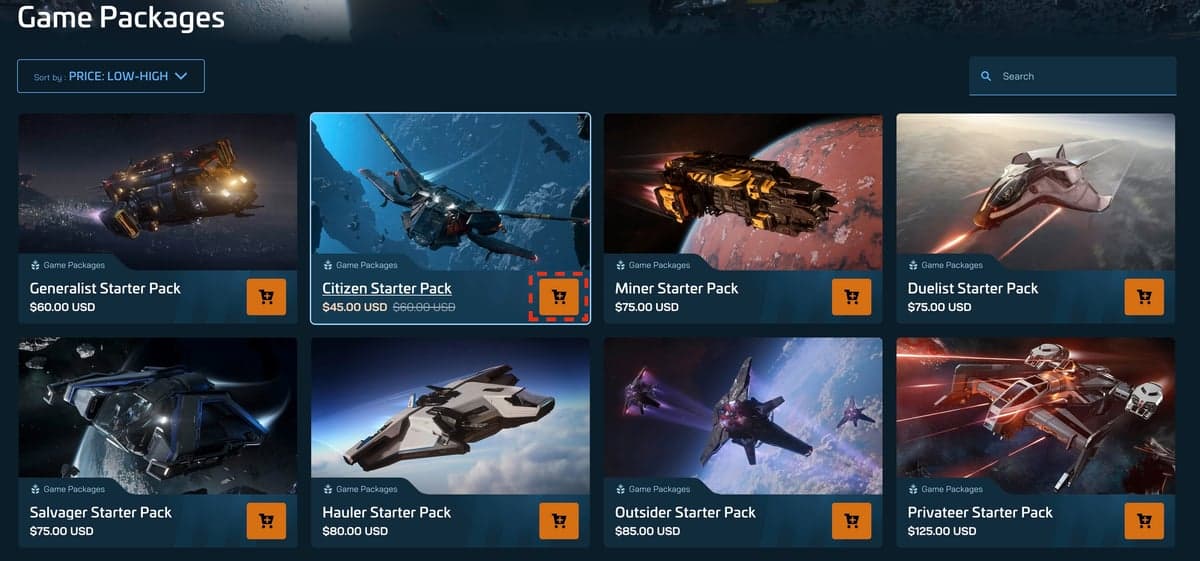
3. Pick a starter pack
Browse the available game packages. The Citizen Starter Pack (Aurora MKII) is the cheapest entry point at $45 (on sale — $60 list price, as of September 2026), but any pack with "Star Citizen Digital Download" works. Click the orange cart icon on the pack you want.
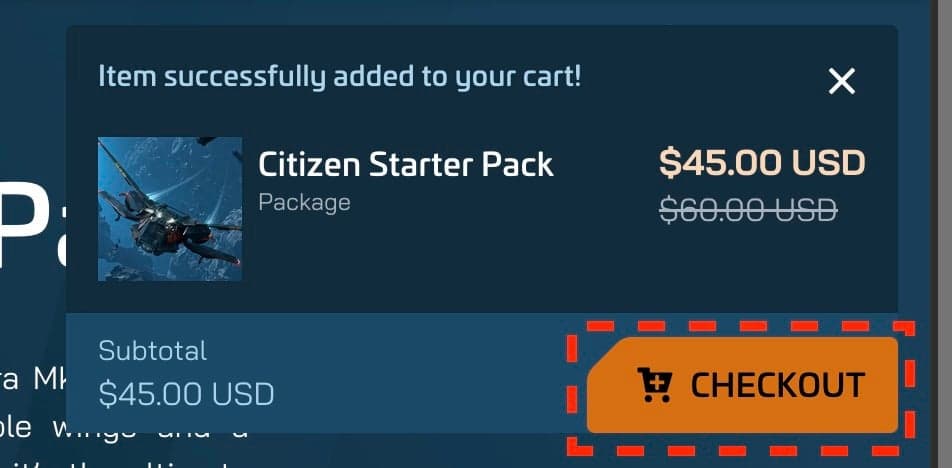
A confirmation popup will appear. Click Checkout to continue.
4. Complete checkout
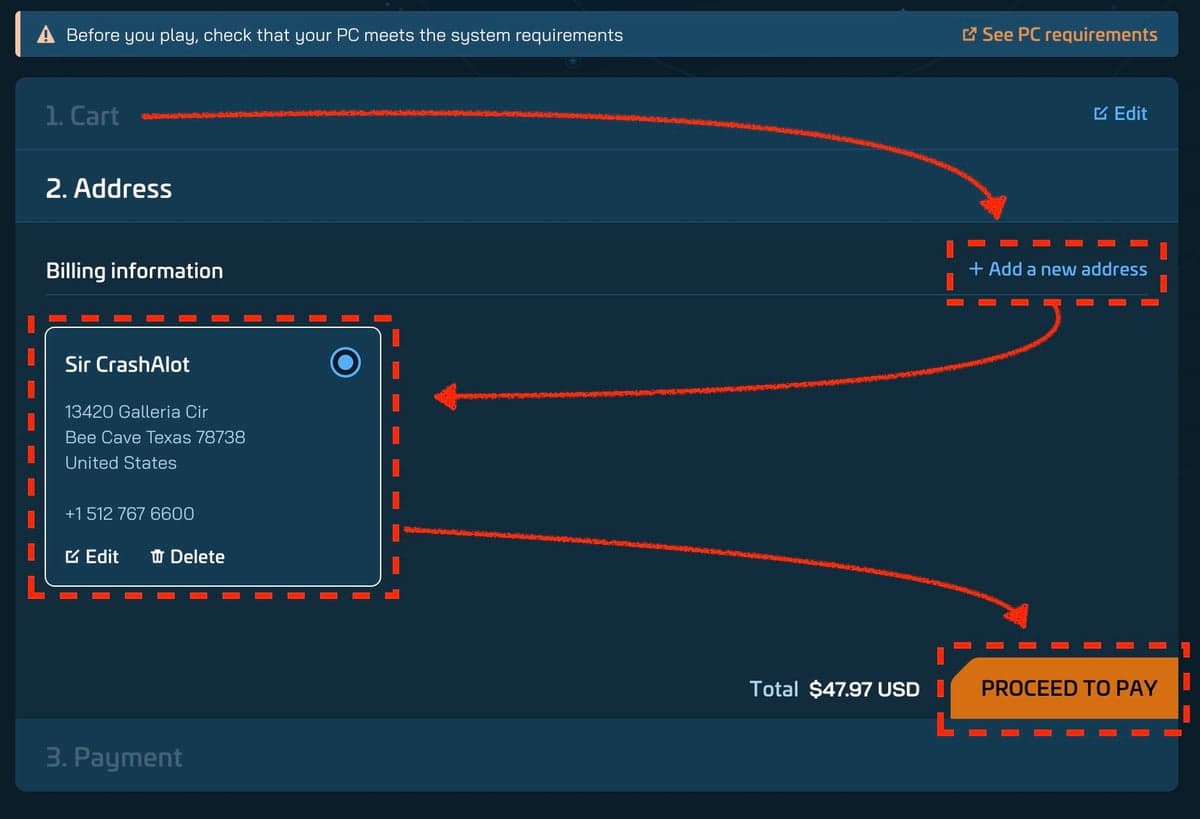
Add a billing address, select it, and click Proceed to Pay. Star Citizen is region-priced, so applicable taxes are added at this step.
5. Install the RSI Launcher
Once payment is complete, click the blue Download button in the top-right corner of robertsspaceindustries.com. Sign in to the launcher with your RSI account and it will install Star Citizen for you.

6. Your first session
Once the launcher finishes, follow steps 3–6 at the top of this page, starting with First Days in the Verse.
Tip: Starter packages always include a ship. The Aurora MKII and Mustang Alpha are the most beginner-friendly choices.
Not ready to buy? Star Citizen runs periodic Free Fly events where the full game is playable at no cost. freeflyevent.com shows whether one is on now and when the next window opens.
Disclaimer: Package prices are approximate and may vary based on sales, promotions, and bundle contents. Please always check the official RSI store for current pricing and available packages.