Star Citizen Controls & Keybindings Guide (2026)
A comprehensive reference for all default keyboard and mouse controls in Star Citizen, plus tips for creating custom bindings.
TL;DR: Star Citizen's most-used keys are F (interact), F1 (MobiGlas), R (flight ready), N (landing gear), and B (switch to NAV mode, the first step of quantum travel). Customize anything in Options → Keybindings: use the search bar, click a binding, press your new key, and export the profile so a patch can't reset it.
Last updated: May 15, 2026. Default bindings change with major patches — always export your custom profile after changes.
On-Foot Controls
Movement
- W / A / S / D — Move
- Spacebar — Jump
- Ctrl — Crouch
- Shift — Sprint
- V — Toggle prone
- C — Toggle camera view (first/third person)
Interaction & Interface
- F — Interaction mode (hold near objects/panels)
- Tab — Inner Thought menu
- I — Personal inventory
- F1 — MobiGlas (missions, map, starmap)
- F11 — Commlink / Communications app
- F12 — Toggle global chat overlay
Combat (On-Foot)
- Left Mouse — Fire weapon
- Right Mouse — Aim (ADS)
- R — Reload
- 1–4 — Weapon / item quick slots
- T — Toggle flashlight
- Middle Mouse — Melee
Flight Controls
Basic Flight
- W / S — Forward / backward thrust
- A / D — Strafe left / right
- Space — Strafe up
- Ctrl — Strafe down
- Q / E — Roll left / right
- Mouse — Pitch and yaw
- Left Shift — Afterburner / boost
Ship Systems
- R — Flight ready (engines on/off)
- N — Landing gear toggle
- B — Switch to NAV mode (middle-click for QT, drive auto-calibrates, left-click to jump)
- F4 — External camera
- Y — Engine toggle
- U — Shield distribution toggle
- P — Power distribution toggle
- J — Toggle EMP (if equipped)
- M — Mining mode (mining-equipped ships only)
Targeting
- Tab — Cycle all targets
- T — Target in crosshairs
- 1 — Cycle hostile targets
- 2 — Cycle friendly targets
- 3 — Pin current target
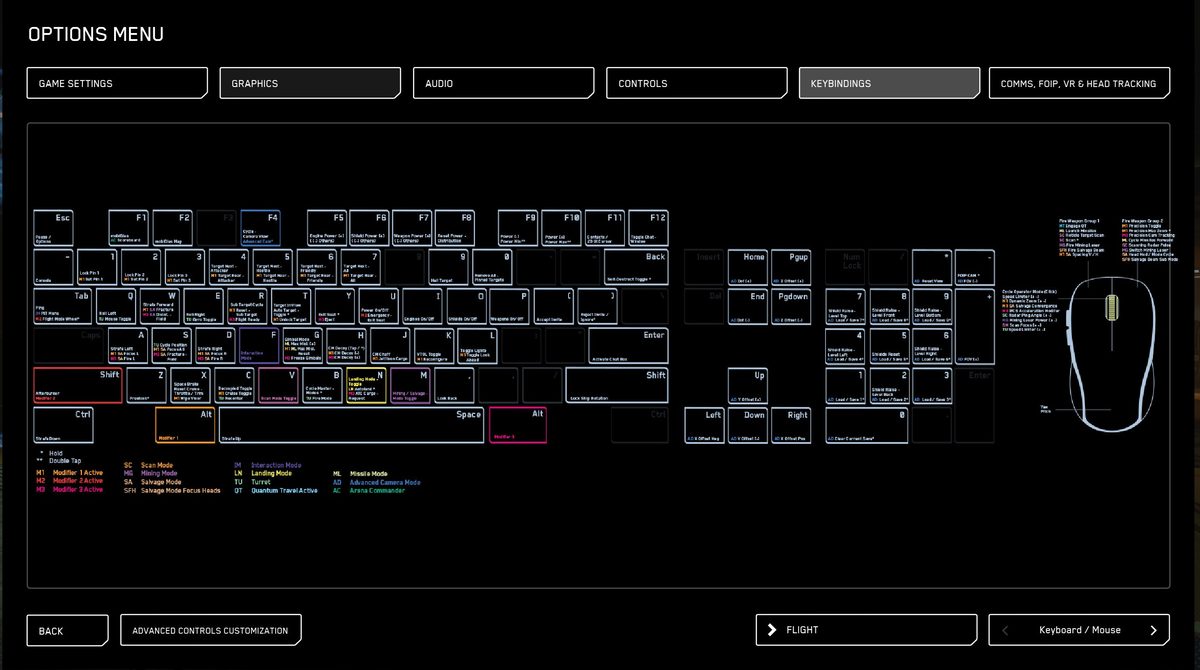
Customizing Your Controls
- Open Options → Keybindings from the main menu or ESC menu in-game.
- Use the search bar to find the action you want to rebind.
- Click the current binding and press your desired key.
- Export your profile immediately after changes — patch updates can reset bindings to default.
Tip: If you use a HOTAS or dual-joystick setup, Star Citizen has native support via the same Keybindings screen. Create a separate profile for joystick vs. KBM and switch between them for different activities.
Frequently Asked Questions
New to Star Citizen? DayOneCitizen.com has a complete first-30-days guide written for brand new players.
Want the keys shown in context? DayOneCitizen walks through the inventory controls and the quantum travel keys step by step.